Ford F-150 Lightning as Home Backup: Complete Setup Guide

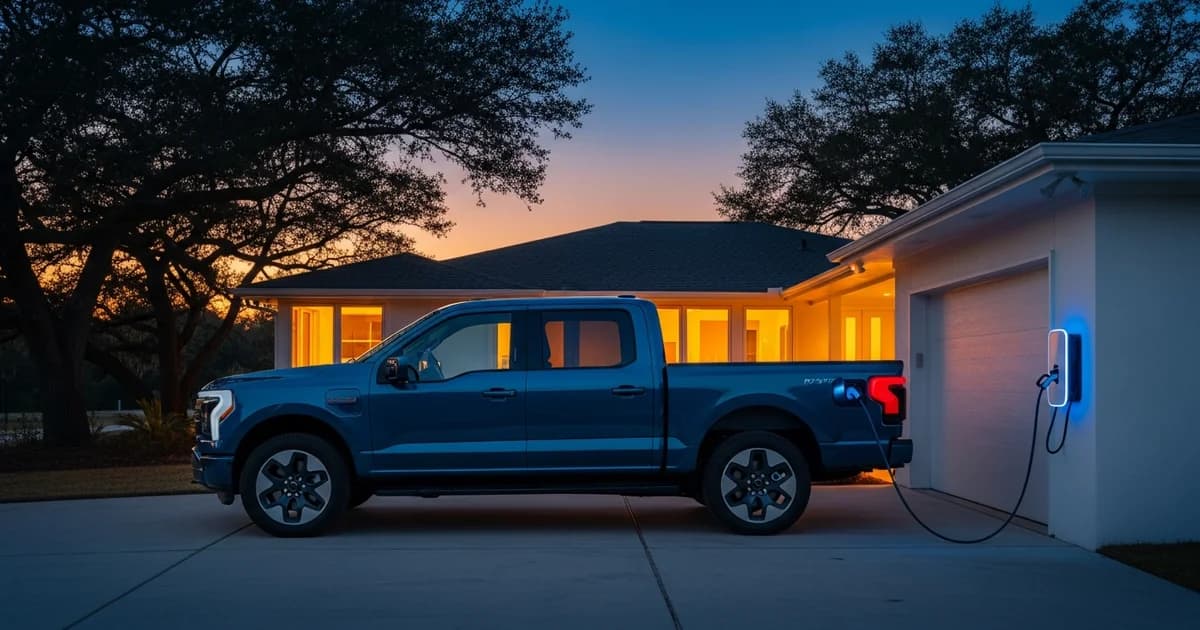
In 2024, U.S. electricity customers went without power for an average of 11 hours, the most in a decade, driven by Hurricanes Beryl, Helene, and Milton (EIA, 2025). Houston felt that directly. Beryl alone left roughly 900,000 CenterPoint customers in the dark for days during a brutal July heat wave.
Here's something most F-150 Lightning owners don't know: that truck sitting in your garage is already a whole-home backup power system. It's just waiting to be activated. Ford sold 33,510 Lightnings in 2024, and more than 100,000 are on the road today. Every single one supports Ford Intelligent Backup Power. The truck was discontinued in late 2025, but used models are selling in the $35,000-$45,000 range, which means this guide is more relevant now than ever.
The hard part isn't knowing the Lightning can power a house. It's knowing exactly what hardware you need, what the setup actually involves, and what realistic runtime looks like for your home's load. That's what this guide covers.
Key Takeaways
- The F-150 Lightning's 131 kWh Extended Range battery provides approximately 4.4 days of whole-home backup at average U.S. consumption of 29 kWh/day, or up to 10 days with conservation (Ford, 2025; EIA, 2023).
- Three components are required: the truck, a Ford Charge Station Pro ($0 or $1,310), and a Home Integration System ($3,895 hardware, plus Sunrun installation).
- Total installed cost ranges from roughly $5,895 (Extended Range, simple install) up to $19,000+ (Standard Range with panel work).
- The Lightning setup costs a fraction of an equivalent Powerwall stack, which runs approximately $75,000 for comparable storage capacity.
- Ford Intelligent Backup Power switches your home automatically during grid failure. No manual transfer switch, no extension cords. The core limitation: it only works when the truck is home and plugged in.
Pro Power Onboard vs. Ford Intelligent Backup Power: What's the Difference?
Ford offers two distinct power export features on the Lightning, and they're often confused with each other. Knowing which one you actually want saves a lot of time.
Pro Power Onboard pushes up to 9.6 kW through up to 11 outlets built into the truck bed and cab (Ford, 2024). It's genuinely useful on job sites and campsites. But it requires extension cords, manual appliance selection, and someone present to manage what's plugged in. It's essentially a very capable portable generator built into the truck.
Ford Intelligent Backup Power is the actual V2H system. It connects to your home's electrical panel and runs your lights, refrigerator, HVAC, and other household circuits during a grid outage, just like normal grid power, without you doing anything.
The practical difference: Intelligent Backup Power switches your entire home automatically when it detects grid failure. Your circuits stay live. Nothing turns off. You don't flip any switches or run any cords.
Ford Intelligent Backup Power also operates in two modes. Automatic mode detects grid failure and switches over without any action on your part. Manual mode lets you initiate backup through the FordPass app whenever you want. Most homeowners set it to automatic and forget about it until an outage happens.
If you want to power your house during a Houston storm outage, Intelligent Backup Power is what you need. Everything else in this guide covers that system.
How Does Ford Intelligent Backup Power Actually Work?
Ford Intelligent Backup Power is a Vehicle-to-Home (V2H) system that draws from the truck's traction battery to deliver up to 9.6 kW of continuous 240V power to your home when the grid goes down (Ford Motor Company, 2025). That output is enough to simultaneously run a central AC unit, a refrigerator, and lights without issue.
The key word here is "bidirectional." Standard EV chargers move electricity in one direction only: from the grid into the battery. The Ford Charge Station Pro is built to move power both ways. When the grid is up, it charges the truck. When the grid fails, it reverses, pulling power from the truck's traction battery and feeding it into your home's electrical panel.
The Home Integration System handles the handoff automatically. It watches the grid constantly. The moment it detects a power failure, it disconnects your home from the utility line and reroutes power from the truck. You don't flip a switch. You don't open an app. The transition happens in seconds.
Here's how the three components connect: the Ford Charge Station Pro (the 80A bidirectional wall charger) links to the Home Integration System, which acts as both an automatic transfer switch and a communication gateway. The HIS connects to your home's main electrical panel, routing truck power to your circuits. The whole chain is controlled by software in the FordPass app and onboard the truck itself.
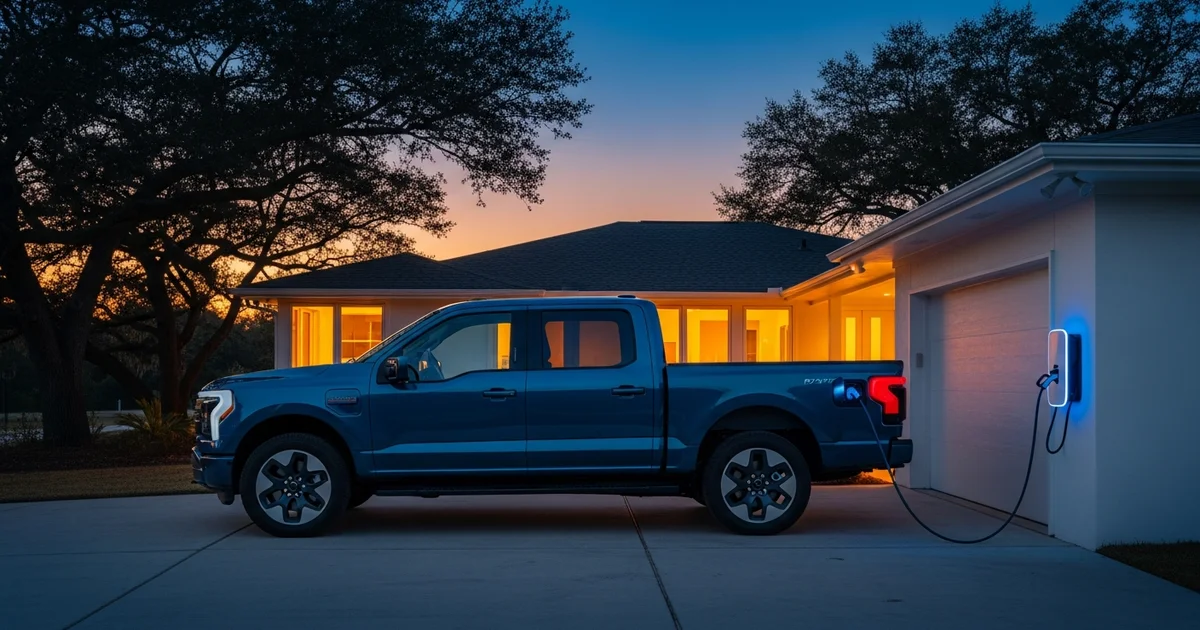
Citation capsule: Ford Intelligent Backup Power is a vehicle-to-home system that delivers up to 9.6 kW of continuous 240V power from the F-150 Lightning's traction battery to a home's electrical panel through the Ford Charge Station Pro and an automatic transfer switch called the Home Integration System (Ford Motor Company, 2025).
What Equipment Do You Need for F-150 Lightning Home Backup?
Three components are required: the Lightning itself, a Ford Charge Station Pro, and a Home Integration System. The truck handles the storage; the charger handles bidirectional conversion; the Integration System handles the automatic transfer from grid to truck and back. No other EV charger or third-party transfer switch will work in place of these.
The Ford Charge Station Pro
This is the wall-mounted unit that physically connects to the truck. It's an 80-amp Level 2 bidirectional charger: the device that lets power flow out of the truck into your home, not just into the truck from the grid. Extended-range battery owners get the Charge Station Pro included in their purchase at no extra charge. Standard-range owners need to buy one separately at $1,310 (CarsDirect, 2024). It requires a dedicated 60A or 80A circuit and a Level 2 outlet or hardwired connection.
The Ford Home Integration System
This is where the real cost sits. The HIS hardware is $3,895. It's sold through Sunrun and Ford-certified electrical contractors. Installation is performed exclusively by Sunrun, the only authorized HIS installer in the United States. Installation labor typically adds roughly $2,000 on top of the hardware price (Green Car Reports, 2024). That brings most Extended Range owners to approximately $5,895 before any electrical work. Sunrun pricing can vary by region and home complexity, so get a current quote before budgeting.
Software activation for Standard Range owners
Standard Range trucks require a one-time $500 fee to enable Intelligent Backup Power through the FordPass app (Ford, 2024). Extended Range trucks don't pay this. It's easy to miss and it catches Standard Range owners off guard.
All three components are required. You can't skip the Home Integration System and use the Charge Station Pro alone. The transfer switch is what makes automatic switchover work and what keeps your home safely isolated from the utility grid while the truck is powering it.
Citation capsule: Extended Range F-150 Lightning owners who purchase the Ford Home Integration System through Sunrun typically spend approximately $5,895 in hardware and installation costs: $3,895 for the HIS hardware plus roughly $2,000 for installation, before any electrical panel upgrade expenses (Green Car Reports, 2024).
How Long Will the F-150 Lightning Power Your Home?
The average U.S. household uses approximately 29 kWh per day (EIA, 2023). Divide the Lightning's usable battery by that daily load and you get your runtime. For the Extended Range battery at 131 kWh, that's roughly 4.4 days of backup at national average consumption. Ration your usage to 20 kWh per day and you're looking at 6.5 days. Ford's official claim of "up to 3 days" is conservative and assumes a higher load profile. Real-world runtime for most households will exceed it.
The Standard Range battery (98 kWh) gives you about 3.3 days at normal load. If you're only running a refrigerator and a few lights, daily consumption drops to around 3 kWh, and the Standard Range can theoretically stretch past 30 days.
What does "rationed" actually look like? It means turning off central AC, running only the refrigerator, a few lights, and phone charging. Uncomfortable? Yes. Possible? Absolutely.
Our finding: Texas summer households don't match the national average. The average U.S. home uses about 29.6 kWh per day (U.S. EIA, 2023). But Texas households in summer regularly average 36-40 kWh/day due to heavy AC use. At 38 kWh/day, the Extended Range Lightning lasts about 3.4 days under normal conditions, or closer to 2 days if you're running your AC hard during a July heat wave. That's a meaningful difference from what most national guides tell you.
How much do common appliances actually draw? A refrigerator uses roughly 1.5 kWh per day. A window AC unit at 8,000 BTU pulls about 1.2 kWh per hour. A central AC system at 3 tons draws approximately 3.5 kWh per hour. Run the math on your own appliances and you'll get a clearer picture than any generic estimate.
The biggest variable in your runtime isn't battery size. It's air conditioning. During extended outages, turning off the AC and prioritizing refrigerator, lights, and device charging can cut your daily load to 10-12 kWh and extend runtime dramatically.
Citation capsule: At U.S. average daily consumption of 29 kWh, the Ford F-150 Lightning's 131 kWh Extended Range battery sustains whole-home power for approximately 4.4 days, or up to 6.5 days with rationed use. Texas summer households drawing 36-40 kWh per day can expect closer to 3.4 days of coverage under normal conditions (Ford Motor Company, 2025; U.S. EIA, 2023).
How to Set Up F-150 Lightning Home Backup: Step by Step
Setup has four main phases and seven steps. Most of the complexity is in the installer's hands, not yours. From first call to live system, plan on 6-10 weeks.
Step 1: Confirm Your Eligibility
Check your window sticker or the FordPass app to confirm your battery trim (Extended Range or Standard Range). Extended Range trucks ship with the Charge Station Pro and don't require software activation. Standard Range trucks need both. Your vehicle must be a 2022-2025 F-150 Lightning in any trim (Pro, XLT, Lariat, Platinum, or Black Diamond). Your home must be owner-occupied and located within a Sunrun service area. Check eligibility at ford.com/electric/ev-energy-solutions/home-backup-power.
Step 2: Verify or Order the Ford Charge Station Pro
If you have an Extended Range, the Charge Station Pro should have come with your truck. If it didn't or was lost in transit, contact Ford directly. Standard Range owners order it at fordpass.com or through a Ford dealer at $1,310. You'll also need to confirm your home has 200-amp electrical service. If not, plan for an upgrade before moving forward (see the electrical panel section below).
Step 3: Schedule Installation with Sunrun
Contact Sunrun through the Ford website or directly at sunrun.com. Sunrun is the only company in the U.S. authorized to install the HIS. They'll schedule a home assessment, which typically happens within 2-4 weeks of first contact. After the assessment, expect another 3-6 weeks for permitting and physical installation. In the Houston area, CenterPoint Energy's territory doesn't require separate utility pre-approval for V2H installation, but confirm this with your installer before scheduling.
The physical work takes 1-2 days. The installer mounts the transfer switch, wires the gateway to your panel, and connects the Charge Station Pro to the exterior wall or garage. Permitting in Harris County typically adds time to the overall timeline.
Step 4: Activate in FordPass and Test
Once installation is complete, open the FordPass app on your phone. Navigate to Vehicle, then Charge, then Home Backup Power. Standard Range owners pay the $500 activation fee at this step. Follow the pairing prompts to link the HIS to your Ford account and your specific truck. Set your charge reserve to 20% (how much battery to hold back for driving) and switch the backup mode to automatic.
Before your installer leaves, request a simulated grid drop. Ask them to trigger the transfer switch manually. Your circuits should stay live. The FordPass app should show "Home Backup Power: Active." A successful test means you're ready for the real thing. Don't skip this step. Finding a configuration issue during installation is much easier than finding it during an actual storm.
How Does the F-150 Lightning Compare to a Home Battery or Generator?
The F-150 Lightning's 131 kWh Extended Range battery stores nearly 10 times more energy than a single Tesla Powerwall 3 at 13.5 kWh (Ford Motor Company, 2025; Tesla, 2025). But unlike a dedicated home battery or generator, its availability depends entirely on the truck being home and plugged in. That distinction matters more than most guides acknowledge.
Against a Powerwall stack
To match the Extended Range Lightning's 131 kWh with Tesla Powerwall 3 units at 13.5 kWh each, you'd need roughly ten units, at approximately $7,500 each installed, that's around $75,000. Those batteries sit in your garage 24/7, always ready. The Lightning's Extended Range setup averages around $11,000 all-in for a simple install. That works out to roughly $84 per kWh of backup storage capacity, and you get a functioning daily-driver truck on top. The Lightning wins on cost per kWh by a wide margin.
Against a standby generator
A natural gas standby generator runs indefinitely as long as the fuel supply holds. It requires annual maintenance, produces 65-75 decibels of noise (roughly equivalent to a lawnmower running continuously in your driveway), and produces exhaust that needs clearance from living spaces. The Lightning is silent and fuel-free. But the generator doesn't care if you drove to the grocery store before the storm hit.
Citation capsule: The Ford F-150 Lightning's Extended Range setup averages approximately $11,000 installed for a simple job, working out to roughly $84 per kWh of backup storage capacity. Ten Tesla Powerwall 3 units for equivalent storage would cost approximately $75,000 installed. The Lightning wins on cost per kWh by a significant margin, with a functioning daily-driver truck included (InsideEVs, 2022; Tesla, 2025).
The "Truck Not Home" Problem (and What to Do About It)
Every published guide on F-150 Lightning home backup power assumes the truck is in the driveway when an outage hits. That assumption fails in exactly the situations when outages are most likely: major storms, evacuation orders, and the hours before an extended grid failure when everyone is scrambling.
Think through the Beryl scenario. The storm is projected to make landfall near Houston. You load up the truck and leave early. The storm passes. Power is out. You come home with 30-40% charge remaining after the drive, plus an unknown number of hours before the grid is restored. The backup duration you planned for just shrank significantly.
What do you actually do about this? Three options make sense.
Option 1: Pair the Lightning with a dedicated home battery system
An always-home battery system covers the gap when the truck is away. It handles shorter outages on its own. When the truck is home and plugged in, the combined capacity is substantial. This is the most resilient approach for Houston homeowners who want reliable backup coverage regardless of the truck's location.
Option 2: Keep a standby generator as a last resort
A propane or natural gas standby generator provides indefinite runtime during extended outages when the truck is gone. It's not as clean or quiet as the Lightning setup, but it solves the availability problem.
Option 3: Charge the truck to 90-100% before any forecast storm
This doesn't solve the availability problem, but it maximizes your backup duration when the truck is home. If Beryl is in the Gulf and you're tracking the forecast, get home with a full battery before conditions deteriorate.
The honest takeaway: for backup power that's available every single time the grid fails, a dedicated home battery system is the more reliable foundation. The Lightning makes that foundation much more capable when the truck happens to be home.
Electrical Panel and Installation Requirements
Most homes need at least 200-amp electrical service and a main panel with room for a two-pole dedicated breaker before the Home Integration System can be installed. Homes with 100-amp service or a full panel will need upgrades before Sunrun can proceed (Ford Motor Company, 2025). This is the step that surprises the most homeowners when they start pricing out the full system.
How to check your service size
Look at your main breaker. It will have an amperage rating printed on it, typically 100A, 150A, or 200A. If your home was built before 1980, 100-amp service is common. Homes built or substantially renovated after 2000 are more likely to have 200-amp service. If you're not sure, a licensed electrician can confirm in about 15 minutes.
Panel space and new breakers
The HIS and the Charge Station Pro each need dedicated circuit breakers. If your panel is full, you'll need either a panel replacement or a subpanel addition before installation can proceed. This isn't unusual in older Houston homes.
What does the upgrade cost?
A service upgrade from 100A to 200A typically costs $1,500-$3,500 in the Houston area. A full panel replacement can reach $3,000-$5,000 or more. When a panel upgrade is needed, the all-in system cost can push past $11,000-$19,000 for some homeowners. Budget for that possibility if your home is older.
Permits and HOA considerations
Electrical permits are required for this installation in most Texas jurisdictions. Sunrun handles the permit application as part of the install scope. If you have a homeowner's association, check their rules on exterior electrical equipment before you schedule anything. The Charge Station Pro is a visible wall unit, and any conduit runs on the exterior of your home may also require HOA approval.
Geographic availability
Sunrun doesn't serve every ZIP code in Texas. Before planning your budget, verify your address qualifies at sunrun.com or ford.com/electric/ev-energy-solutions/home-backup-power.
Is a Used F-150 Lightning Worth Buying Specifically for Home Backup?
Yes, for homeowners in storm-prone markets like Houston, a used 2022-2025 Extended Range Lightning purchased specifically for home backup makes financial sense. A 2023 Extended Range in reasonable condition was trading in the $35,000-$45,000 range in early 2026. Add roughly $11,000 for the full V2H setup and you're at approximately $46,000-$56,000 all-in for 131 kWh of usable backup capacity plus a functional daily-use truck.
There's nothing in the dedicated home battery market that approaches that value. A 10-unit Powerwall system does roughly the same storage job at $75,000 and sits in your garage doing nothing except storing power.
A few things to watch for when buying used for this specific purpose.
Battery degradation. Check the state of health using the FordPass app or ask the seller for a recent dealer health report. A battery at 85% state of health holds about 111 kWh, not 131 kWh. That still beats most dedicated home battery systems, but it changes your runtime math.
Cycle depth on V2H use. Frequently discharging the battery below 20% accelerates long-term degradation. Set your charge reserve at 20% minimum and stick to it. Ford designed the system for V2H use, but protecting the battery means not running it to empty on a regular basis.
The EREV successor. Ford is developing an extended-range electric version of the F-150, expected around 2027-2028, that should retain V2H capability with a smaller electric-only range and an onboard gas generator for extended trips. If you're not in a hurry, waiting for that platform could offer better flexibility.
For a full comparison of V2H-compatible vehicles available in 2026, see the complete V2H vehicle list.
Frequently Asked Questions
Does the Ford F-150 Lightning home backup switch on automatically?
Yes. The Home Integration System monitors grid power continuously. When it detects an outage, it automatically disconnects the home from the utility grid and begins drawing from the truck's battery, all without any action from you. The process takes a few seconds (Ford Motor Company, 2025). You don't need to open an app or flip a breaker.
Can I install the Home Integration System myself?
No. The HIS requires installation by a Sunrun-authorized contractor. DIY installation is not supported by Ford, voids the hardware warranty, and may violate local electrical codes and utility interconnect requirements. Harris County requires permitted electrical work for any transfer switch installation. The certification requirement isn't a bureaucratic technicality. The installer needs specific training on the gateway configuration and your local utility's requirements.
Does using the truck for home backup affect the battery warranty?
Ford's battery warranty covers the traction battery for 8 years or 100,000 miles against defects. It doesn't explicitly exclude V2H use. However, frequent deep discharges, regularly draining the battery below 20% state of charge, may accelerate long-term capacity loss over many cycles. Set a 20% minimum reserve in the FordPass app and stick to it.
Does the F-150 Lightning have enough power to run central air conditioning?
Yes. A standard residential HVAC system draws 3-5 kW continuously, and the 9.6 kW Intelligent Backup Power system can handle it. The trade-off is runtime: running central AC at 4 kW continuous roughly doubles your daily energy consumption. Most homeowners running on backup power turn the AC off or use it sparingly to extend runtime during extended outages.
Does Ford Intelligent Backup Power work with any EV, or just the Lightning?
Ford Intelligent Backup Power is specific to the F-150 Lightning. It requires the Ford Charge Station Pro bidirectional charger and the Ford Home Integration System. Other EVs use different V2H platforms: for example, the GM Energy system for Silverado EV and Blazer EV owners. The hardware is not interchangeable between manufacturers.
What is the difference between Ford Intelligent Backup Power and the Ford Home Integration System?
Ford Intelligent Backup Power is the name for the entire vehicle-to-home capability: the feature, the software, the system as a whole. The Home Integration System (HIS) is the specific physical hardware that makes it work: the automatic transfer switch and communication gateway that installs near your electrical panel. You need the HIS installed to use Ford Intelligent Backup Power.
What to Do Next
If you own a Lightning and haven't activated Intelligent Backup Power, the system is already in the truck. You're one certified installer appointment away from having whole-home backup.
Here's where to start:
- Confirm your battery trim (Extended Range or Standard Range) in the FordPass app or on your door sticker
- Verify whether the Ford Charge Station Pro came with your truck
- Contact Sunrun to assess your panel and schedule the Home Integration System install
- After installation, set your FordPass charge reserve to 20% and switch backup mode to automatic
The F-150 Lightning holds more backup capacity than any single home battery product on the market. The setup isn't free or instant, but for owners in Houston who've lived through multi-day outages, the math is hard to argue with.
For homeowners who want backup power that's always ready, regardless of where the truck is, a dedicated home battery system is worth adding to the picture.