Remote Site Survey for a Home Battery: What to Photograph and Why

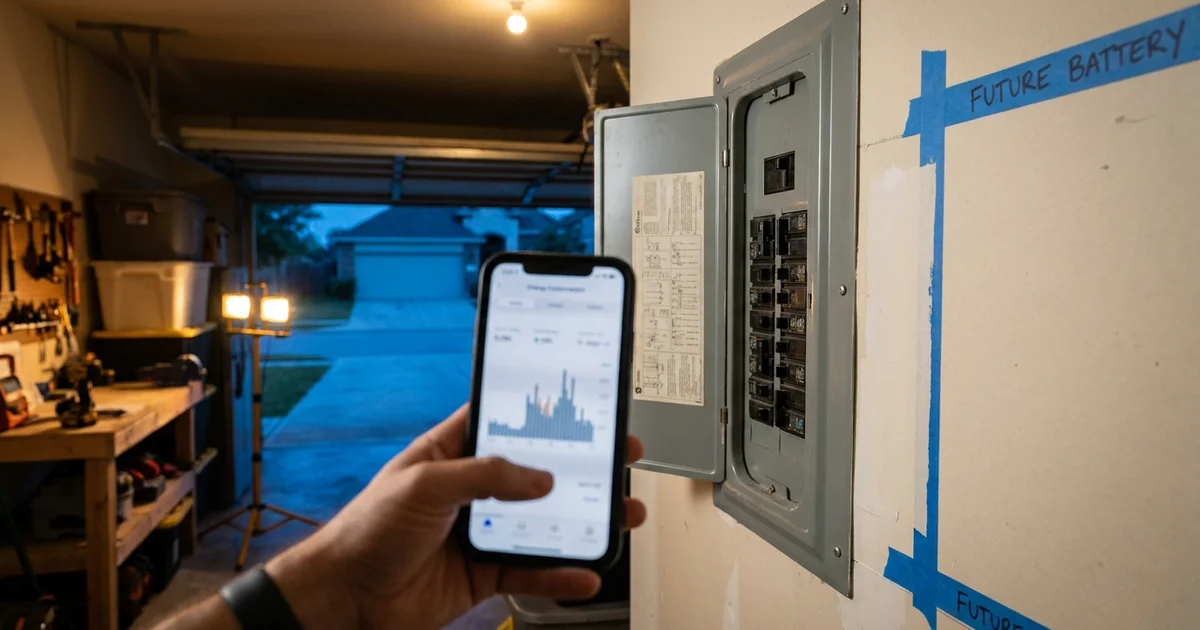
Most battery quotes used to start with a truck rolling up to your house. The Eos Home Backup Planner starts with your phone instead. After a few questions about your goals and your home, it asks for a short set of photos and one video, so the installation team can look at your electrical setup before anyone visits.
This post lists exactly what the survey asks for, in the order the planner asks for it, and where each photo earns its place. If you want the in-person version, our guide to the on-site survey in Houston covers that visit.
Key Takeaways
- The Remote Site Survey has 9 required items: three panel photos, two meter photos, the main disconnect, the battery location, a distance estimate and one wiring video.
- Solar, generator, EV charger and subpanel photos only appear if your answers say they apply to you.
- Progress is saved, so you can stop and finish from your phone later.
What is a remote site survey for a home battery?
A remote site survey replaces the first walk-through with photos and a video you capture yourself. The planner's own survey screen describes it this way: the photos let the installation team evaluate your electrical setup and prepare a more accurate estimate without requiring an initial home visit. You can take them in any order and finish later.
It is a first look, not a final design. A licensed Texas electrical contractor still does the actual work, and Texas law requires it. Under Chapter 1305 of the Occupations Code, electrical work generally needs a licensed person working through a licensed contractor (Texas Department of Licensing and Regulation, Electrical Safety and Licensing FAQ). The survey just gets the right questions answered before that stage.
Where does the survey fit in the Planner?
The survey sits near the end of the planner, in the Installation stage. By then you have answered questions about backup goals, your address, monthly bill, energy setup (solar, EV, generator), space near your meter, preferred battery location and timeline.
Two things come right before the survey itself.
An optional utility bill upload. The planner asks you to upload a recent electricity bill to confirm your home's energy usage. A photo, a screenshot or a PDF all work. You can skip it and keep going.
A phone hand-off on desktop. Photos are easier from a phone, so on a computer the planner shows a QR code carrying a secure resume link. Scan it and you pick up where you left off. Phones skip this screen. A "text me the link" option only appears when the texting service is available, and the planner says so plainly when it is not.
What are the 9 required photos and videos?
Here is the checklist as the planner presents it, grouped the way the screen groups it.
Electrical panel (3 items)
- Main electrical panel, cover closed. One photo of the whole panel from a few feet back.
- Inside the panel. Open the cover and photograph all the breakers clearly.
- Panel label and main breaker amperage. A close-up of the label and the main breaker rating.
Why three? The closed shot shows where the panel sits and what is around it. The open shot shows how crowded it is. The label tells the installer the panel's rating. Under the National Electrical Code, equipment like this needs a clear working space at least 30 inches wide and 6.5 feet high, and that space is not to be used for storage (IAEI Magazine, NFPA Code Talk). Your closed-panel photo shows whether shelves or boxes are in the way.
Opening a panel cover exposes live parts. If you are not comfortable removing it, say so in the planner or call us rather than guess.
Utility meter (2 items)
- Meter close-up. The meter number must be readable.
- Meter and surrounding equipment. Step back and show the meter plus whatever is next to it.
The close-up identifies your service. The wide shot shows the equipment around the meter, which matters for any new connection. Connecting a battery to the grid is a separate process with your utility, governed by the Public Utility Commission's rule on interconnection of on-site distributed generation. Clear meter photos make that paperwork easier to start.
Main service disconnect (1 item)
- Main disconnect photo, if it is separate from the panel. Many homes have one outside near the meter. If yours is built into the panel, or you are not sure, you can answer "I don't have one" or "I'm not sure" and the item counts as done.
Battery location (2 items)
- Wide photo of where you would like the battery. Show the whole area, not a close-up of the wall.
- Approximate distance to the panel, in feet. A rough number is fine, and "I'm not sure" is accepted.
Location matters for safety as well as convenience. NFPA 855 lists the acceptable places for a home battery as attached garages separated from living space, detached garages or accessory structures, outdoor walls, and enclosed utility or storage spaces where approved, with three feet kept to doors and windows that open into the dwelling (HeatSpring, NFPA 855 locations for one- and two-family dwellings). A wide photo lets the team see which of those your spot resembles.
Wiring path (1 item)
- A short video from the panel to the battery spot. Start at the electrical panel and walk slowly toward where the battery would go. The planner says this helps the installation team understand where wiring may need to run.
Video catches what photos cannot: the turn around the water heater, the low beam, the finished wall you would rather not open. Keep it steady and keep the phone pointed at the route, including the ceiling if the wire might go overhead.
What extra photos might the planner ask for?
Four optional items appear only when your earlier answers call for them. They are not part of the "9 required" counter.
| If you said | The planner asks for |
|---|---|
| You have solar | Photos of your solar inverter and related equipment |
| You have a generator | Photos of the generator and transfer switch |
| You have an EV charger | One clear photo of the charger |
| You have subpanels | One photo of each subpanel closed and one open |
These matter because a battery has to coexist with what you already own. For a closer look at how a battery ties into a panel, read how a battery connects to your electrical panel.
How do you take photos the installer can use?
You do not need a good camera. You need good habits.
- Turn the lights on. A dark garage is the number one reason a panel photo is unreadable.
- Shoot straight on. Angled labels blur at the edges.
- Move things first. Clear the area around the panel so the photo shows the real space.
- Do not edit or crop. The installer wants context.
- Use your phone's normal format. The planner accepts JPEG, PNG, WebP, HEIC and HEIF photos, plus MP4, QuickTime and WebM video.
Photos can be up to 25 MB each and the wiring video up to 500 MB, so a minute of video on a modern phone is comfortably within the limit. If an upload fails, the planner shows an error and lets you try again rather than losing your place.
What happens after you submit?
Submitting does not lock in a price or a date, and this post will not promise either. What it does is give the installation team a fuller picture of your home so the estimate reflects it. Your plan can be resumed with the secure link at any point, so nothing is lost if you stop halfway.
Two regulatory points are worth knowing for Houston-area homes. Texas SB 1252, effective September 1, 2025, bars cities from regulating the installation or inspection of a residential energy backup system of up to 50 kW or 100 kWh, though municipally owned utilities keep authority in their own service areas (Texas Department of Licensing and Regulation, SB 1252 notice). The City of Houston says it now inspects only service connections and fuel gas piping, not the batteries, inverter or generator (Houston Permitting Center, process updates for residential backup power systems). The state's bill analysis covers the same change (Texas Legislature, SB 1252 bill analysis), and the city flagged it ahead of time (Houston Permitting Center, upcoming state law changes for residential backup power systems).
That does not remove state licensing or the utility interconnection step. For the sequence from quote to switch-on, see the home battery installation timeline for Houston and what to expect from a Houston battery quote.
Ready to start your survey?
Plan on a quiet half hour with your phone, a flashlight and your garage door open. The questions come first, then the bill, then the checklist. You can compare system tiers on the plans page at any point.
Or call Eos at 833-989-3737 to talk through your setup with an installer.
Frequently Asked Questions
Do I have to finish the whole survey in one sitting?
No. The planner saves your progress, you can take the items in any order, and a secure resume link lets you continue on another device. Only the nine required items count toward the survey's progress counter.
Can I skip the utility bill upload?
Yes. The planner offers a "Skip for now" button on that step. The bill is there to confirm your home's energy usage, and a photo, screenshot or PDF all work if you decide to add it.
What if I don't have a separate main disconnect, or I'm unsure about the distance?
Both items accept "I don't have one" or "I'm not sure" answers, and those count as complete. The installation team can follow up on anything unclear.
Is the remote survey a replacement for the on-site visit?
For the first estimate, it is meant to be. Under Texas law, a licensed electrical contractor still performs the installation, and the utility interconnection process is separate (TDLR).
Do I need a permit from the City of Houston for a home battery?
Under SB 1252, cities cannot regulate the installation or inspection of residential backup systems up to 100 kWh. Houston inspects only service connections and gas piping. Check your HOA and utility rules separately.